

AI productivity applications are experiencing significant reliability challenges in 2026, with 43% of AI-generated code changes requiring manual debugging in production environments according to Lightrun’s State of AI-Powered Engineering Report. Meanwhile, enterprise adoption has reached 88%, and frontier AI models are failing roughly one in three production attempts on structured benchmarks, creating a complex landscape for users seeking reliable AI-powered productivity tools.
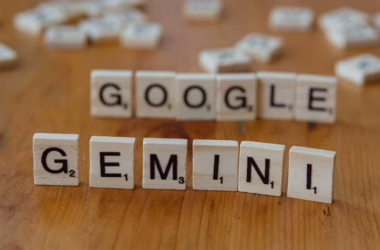
Despite these challenges, major tech companies continue pushing forward with ambitious AI productivity initiatives. Adobe launched its Firefly AI Assistant, designed to orchestrate complex workflows across Creative Cloud applications, while Google maintains its position with Workspace’s AI integration through Gemini.
The Reality Behind AI Productivity Performance
The gap between AI capability demonstrations and real-world reliability has become increasingly apparent in 2026. According to Stanford HAI’s AI Index report, this phenomenon represents what researchers call the “jagged frontier” – where AI models can excel at complex tasks like winning gold medals at mathematical competitions but still struggle with basic functions like telling time accurately.
For everyday users, this translates to frustrating experiences with AI writing assistants that might craft brilliant paragraphs but miss simple formatting requirements, or meeting tools that capture detailed notes but fail to identify key action items consistently. The VentureBeat survey revealed that zero percent of engineering leaders described their AI systems as fully trustworthy, with 88% requiring two to three debugging cycles for AI-generated fixes.
This reliability gap particularly affects productivity workflows where consistency matters most – email drafting, calendar management, and document creation all require predictable performance that current AI tools struggle to deliver consistently.
Adobe’s Ambitious Creative AI Integration
Adobe’s approach to AI productivity represents one of the most comprehensive attempts to create a unified AI assistant experience. The Firefly AI Assistant promises to orchestrate workflows across Photoshop, Premiere Pro, Illustrator, and other Creative Cloud applications through conversational interfaces.
“We want creators to tell us the destination and let the Firefly assistant — with its deep understanding of all the Adobe professional tools and generative tools — bring the tools to you right in the conversation,” Alexandru Costin, Adobe’s VP of AI & Innovation, explained to VentureBeat.
The system includes several practical features for creative professionals:
- Cross-application workflow management that can execute complex tasks spanning multiple Adobe tools
- Integration with third-party AI engines including Kling 3.0 video models
- Frame.io Drive for seamless cloud-to-local media workflows
- Color Mode enhancements in Premiere Pro for improved video editing
However, users should expect the same reliability challenges affecting other AI productivity tools. The ambitious scope of Adobe’s integration means more potential failure points, particularly when orchestrating complex multi-step creative workflows.
Google Workspace Maintains Market Position
Google Workspace continues evolving its AI productivity offerings through Gemini integration, though with more modest claims than competitors. The platform now offers up to 14% discounts for new users through 2026, positioning itself as a practical choice for businesses seeking established productivity tools with AI enhancements.
Workspace’s AI features focus on core productivity tasks:
- Smart email composition in Gmail with contextual suggestions
- Meeting transcription and summarization in Google Meet
- Document collaboration with AI-powered editing suggestions
- Calendar optimization for scheduling and time management
- Integration with NotebookLM for research and note-taking workflows
The advantage of Google’s approach lies in its integration with existing user workflows. Rather than replacing familiar tools, Workspace enhances them with AI capabilities that users can adopt gradually. This reduces the learning curve compared to entirely new AI-native productivity platforms.
Enterprise Adoption Challenges and Solutions
The 88% enterprise adoption rate for AI tools masks significant implementation challenges. Organizations report struggling with the unpredictable nature of AI performance, particularly in mission-critical productivity workflows.
Key challenges include:
- Inconsistent output quality requiring human oversight and editing
- Integration complexity with existing business systems
- Training requirements for employees to use AI tools effectively
- Cost management as AI productivity tools often require premium subscriptions
Successful implementations typically involve starting with low-risk applications like meeting note-taking or email drafting, then gradually expanding to more complex workflows as teams build confidence with the technology.
Many organizations are developing hybrid approaches, using AI for initial drafts and idea generation while maintaining human oversight for final outputs. This strategy acknowledges AI limitations while capturing productivity benefits.
Personal AI Assistant Development Trends
Beyond commercial offerings, individuals and organizations are increasingly building custom AI productivity solutions. The Towards Data Science chronicle highlights how task decomposition modules can transform complex goals into actionable steps.
Custom AI assistants offer several advantages:
- Tailored functionality matching specific workflow requirements
- Data privacy control keeping sensitive information in-house
- Cost optimization avoiding subscription fees for multiple AI services
- Integration flexibility connecting with existing tools and databases
However, building personal AI assistants requires technical expertise and ongoing maintenance. Most users benefit more from established commercial platforms that handle infrastructure, updates, and security automatically.
What This Means
The current state of AI productivity applications presents a complex picture for users in 2026. While capabilities continue advancing rapidly, reliability remains inconsistent across different use cases and applications. The 43% debugging rate for AI-generated code and one-in-three failure rate for production tasks indicate that AI productivity tools work best as assistants rather than replacements for human judgment.
For individual users, this means approaching AI productivity tools with realistic expectations. These applications excel at generating initial drafts, organizing information, and handling routine tasks, but require human oversight for important outputs. The most successful implementations involve gradual adoption, starting with low-stakes applications and expanding as comfort levels increase.
Businesses should focus on hybrid workflows that combine AI efficiency with human expertise. This approach maximizes productivity benefits while maintaining quality standards and reducing the risk of AI-related errors in critical business processes.
FAQ
Q: Are AI productivity apps reliable enough for business use in 2026?
A: AI productivity apps can enhance business workflows but require human oversight. With 43% of AI-generated outputs needing debugging and one-in-three production failures, they work best as assistants rather than autonomous solutions.
Q: Which AI productivity platform offers the best user experience?
A: Google Workspace provides the most stable experience through gradual AI integration with familiar tools, while Adobe Firefly offers more advanced creative capabilities but with higher complexity and potential reliability issues.
Q: Should I build a custom AI assistant or use commercial platforms?
A: Commercial platforms like Google Workspace or Adobe Creative Cloud offer better reliability, security, and support for most users. Custom solutions only make sense for organizations with specific technical requirements and development resources.
For the broader 2026 landscape across research, industry, and policy, see our State of AI 2026 reference.